Using the Waiting Room

The purpose of the Waiting Room is to identify clients who have been externally referred. Asides from clients availing themselves to your office, they can also be referred to BC CHARMS through external referrers. These are individuals and/or organizations that are in frequent contact with refugee claimants but do not undertake settlement work. External referrers include lawyers, places of worship, hospitals, shelters, teachers, CBSA, and IRRC to name a few. Once a client is externally referred to BC CHARMS, they will appear in the Waiting Room where all Settlement Workers will be notified that a new client is ready to be contacted.

Finding Externally Referred Clients

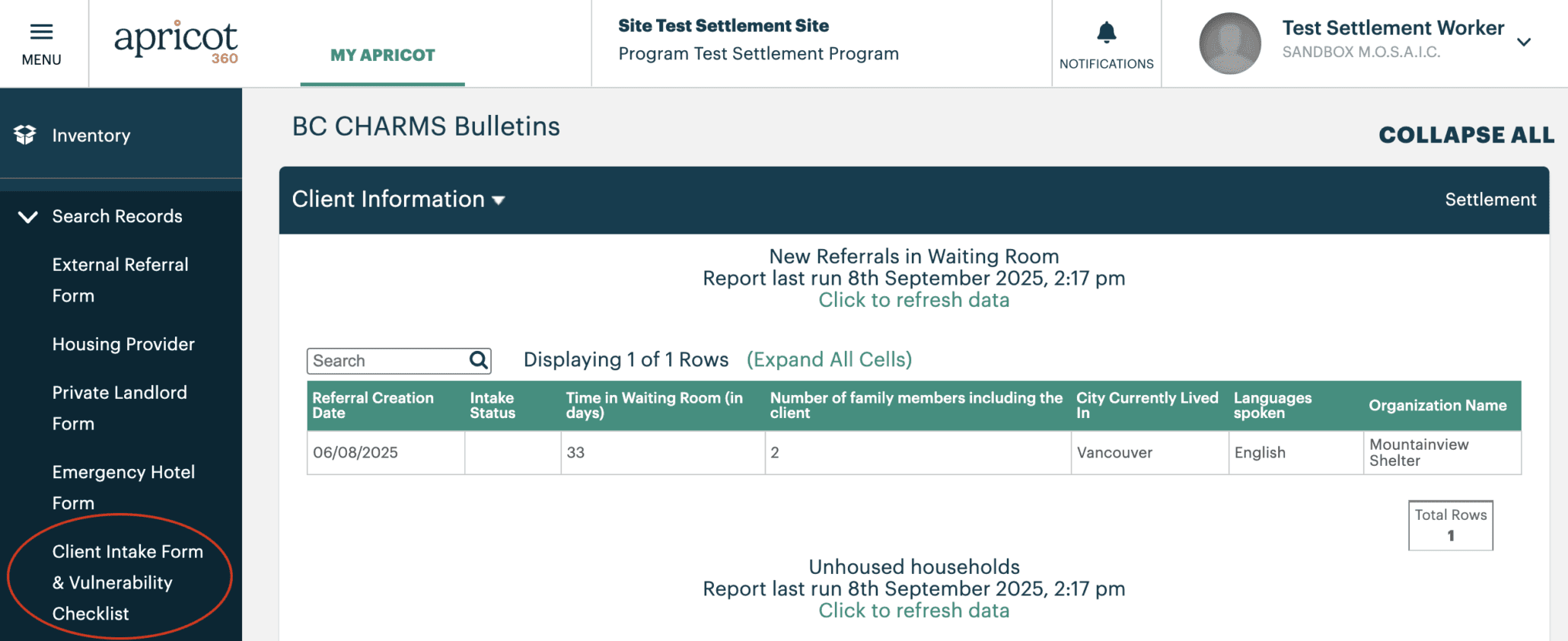
Newly externally referred clients can be found under the New Referrals in Waiting Room section of your dashboard.
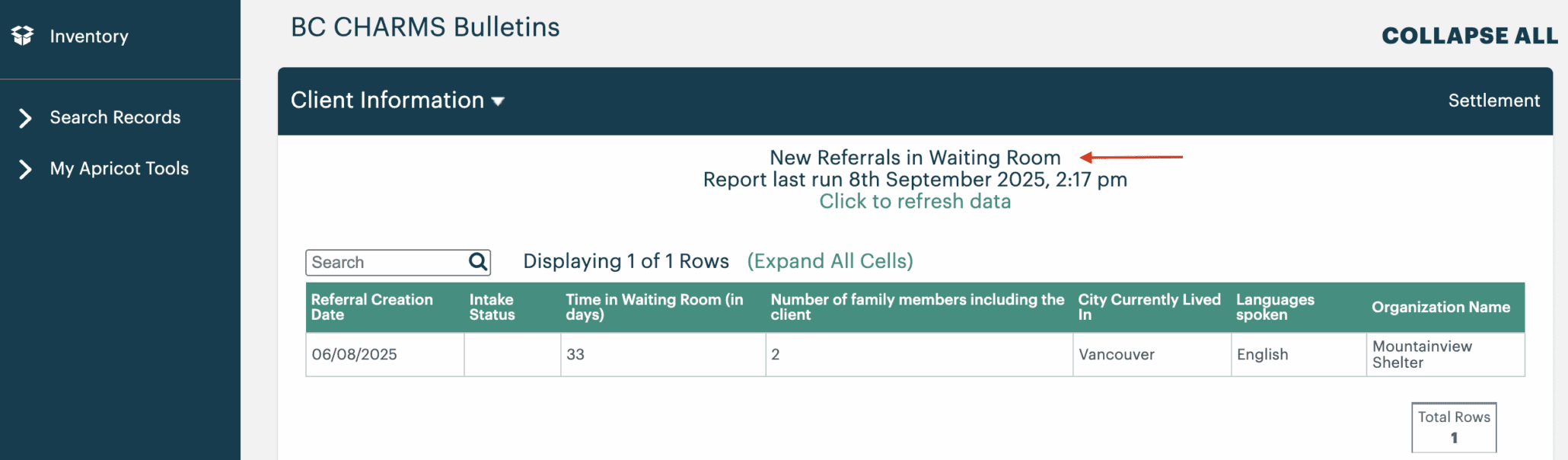
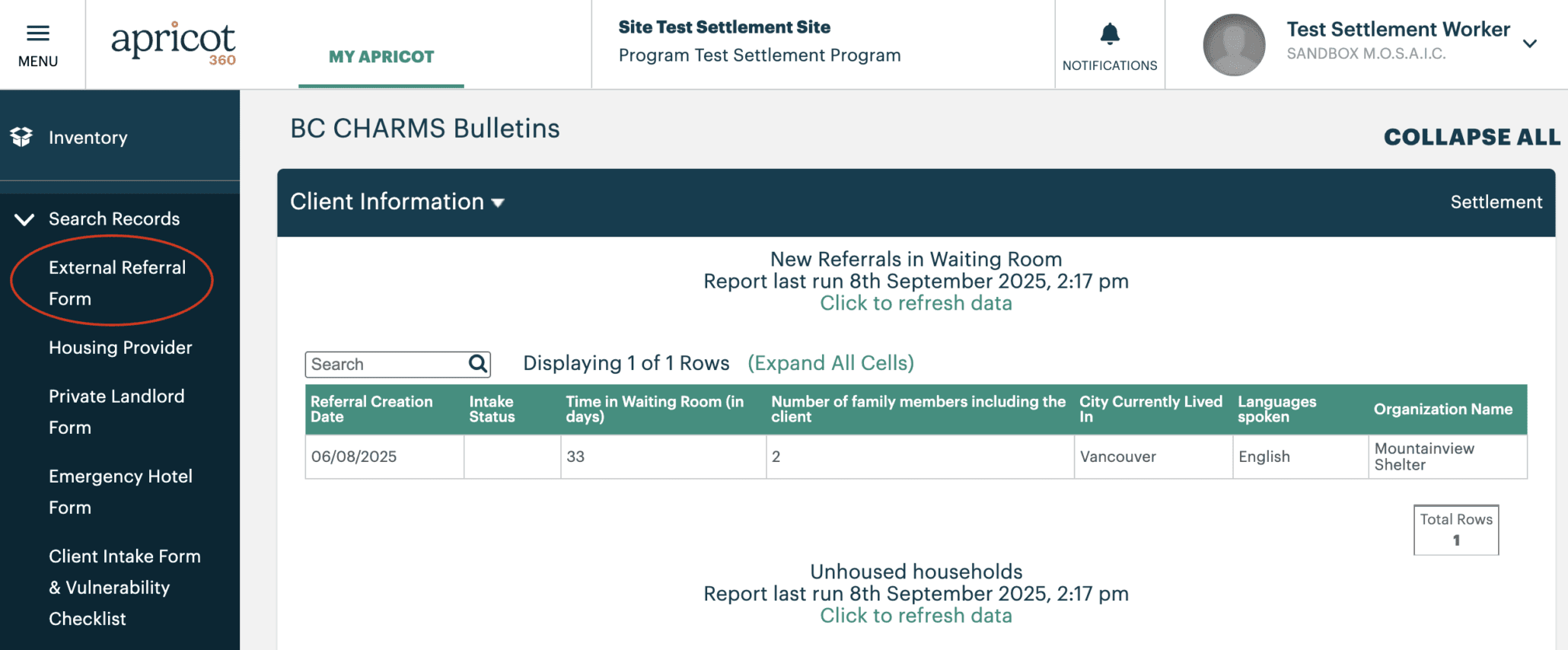
  • Externally referred clients can also be found under the External Referral Form section found on the left-hand menu under Search Records as well

Contacting Clients from the Waiting Room

Contacting externally referred clients is an important first step before completing a Client Intake Form. All Settlement Workers have a responsibility to contact clients from the Waiting Room where the client’s location is in close proximity to their place of work. This is to ensure all clients are contacted in a timely manner and services are provided based on location.
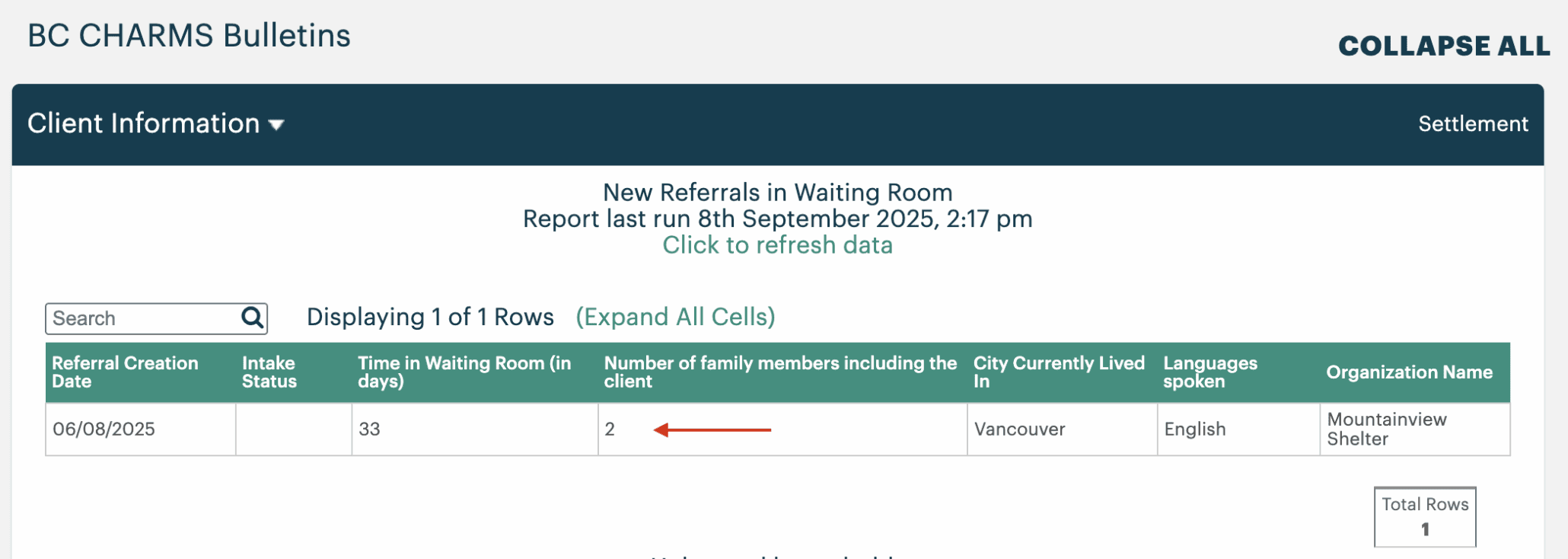
  • Click on the client you wish to contact
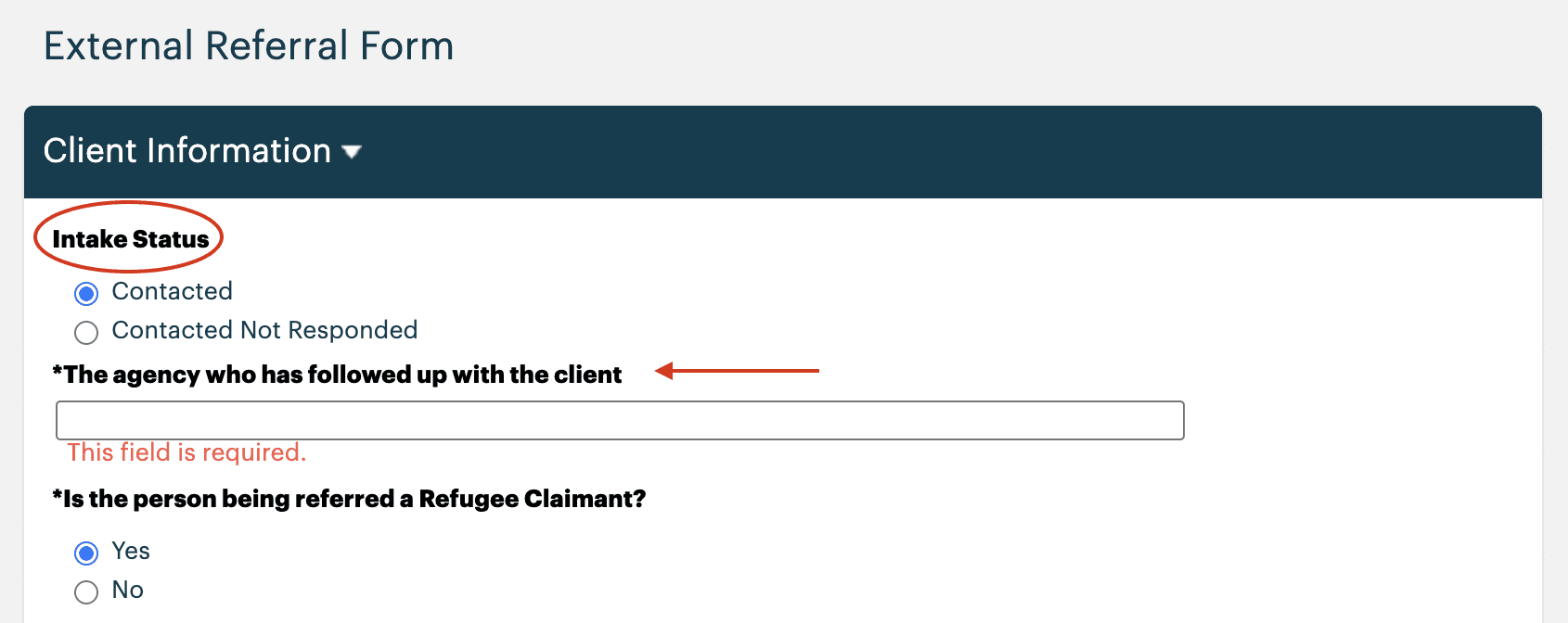
  • The Intake Status is the first section of the External Referral Form, indicating if a client has been contacted or not
    • Contacted – the client has already been contacted by another Settlement Worker. A field will appear underneath identifying which organization has contacted the client
    • Contacted Not Responded – this is used in the event you are unable to reach the client on your first attempt. A field will appear underneath allowing you to input your organization’s name to ensure other Settlement Workers do not contact the same client
  • Once you have updated the Intake Status accordingly, click Save Record

Creating a Client Intake Form & Vulnerability Checklist

A Client Intake Form & Vulnerability Checklist is an important method of information collection for client referrals to vacancies in BC CHARMS. A new Client Intake Form & Vulnerability Checklist must be created for each main applicant you intend to add in BC CHARMS.

This form can be filled out in 2 different ways depending on the method of engagement with a client. The 2 ways a client can be referred to BC CHARMS are:

  • The client avails themself directly to you at your place of work
  • Or externally referred in the Waiting Room.

Please read both examples to acquaint yourself with the necessary procedures.
Clients From Your Office

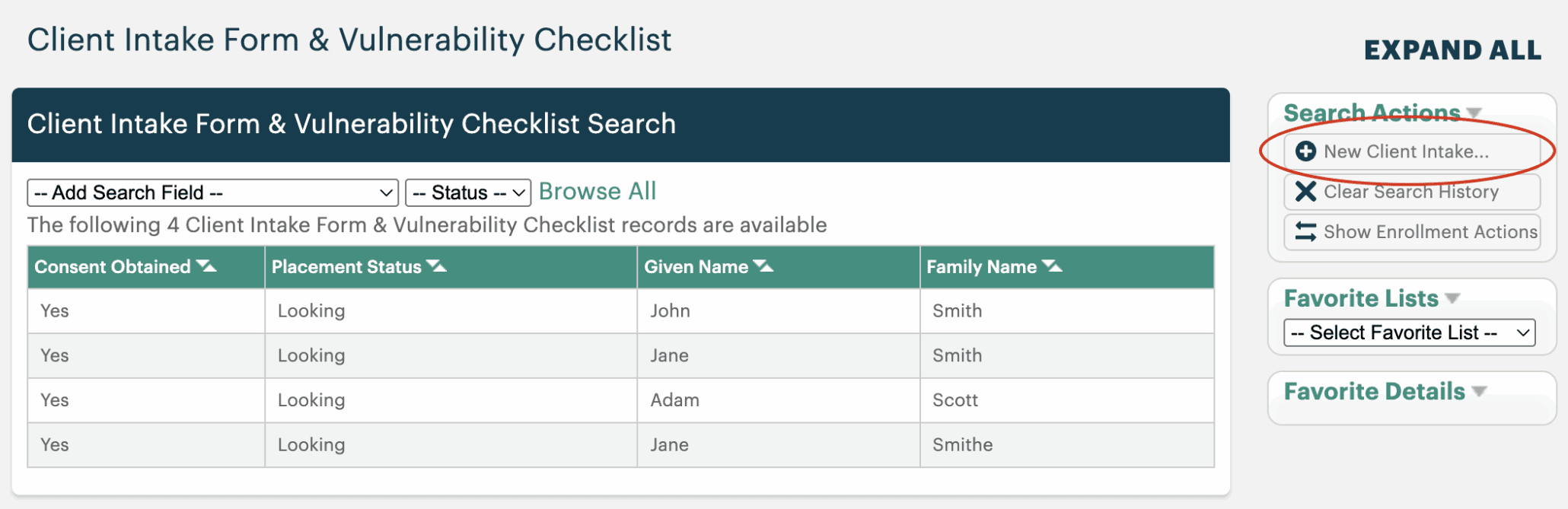
  • Under Search Records on the left-hand menu, click Client Intake Form & Vulnerability Checklist

  • On the right-hand menu, click New Client Intake Form 

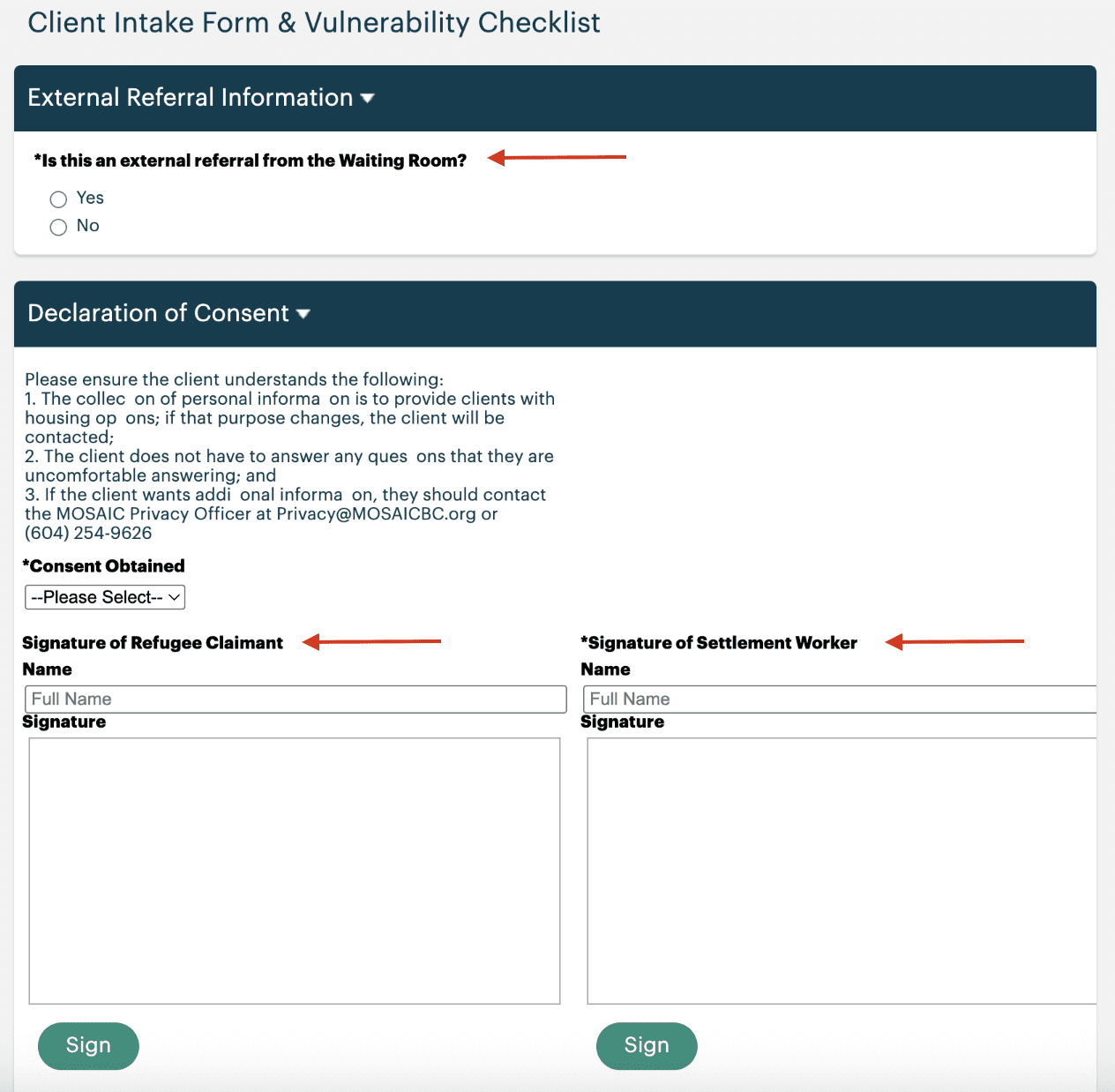
  • Referral Information – If a client has availed themselves to you at your place of work, they would not be considered as externally referred and therefore not from the Waiting Room.
    • In this case, the answer to “is this client an external referral from the waiting room?” would be
  • Declaration and Consent – obtained consent is one of the most important components in the Client Intake Form. The form cannot be completed without the client’s consent. To do so, please read the declaration of consent to the client to ensure they understand the purpose of information collection and its use.
    • If you are engaging with a client over the phone, verbal consent is sufficient to proceed
  • Signatures – at minimum, the full name and signature of the Settlement Worker is needed to complete the rest of the Client Intake Form.
    • If your client is in the office with you, please include their full name and proceed to request their signature. This can be done electronically directly in the database.
    • In the event you are engaging with your client over the phone, leave the Name and Signature of Refugee Claimant section blank. This section can be updated and signed the next time your client is in the office.

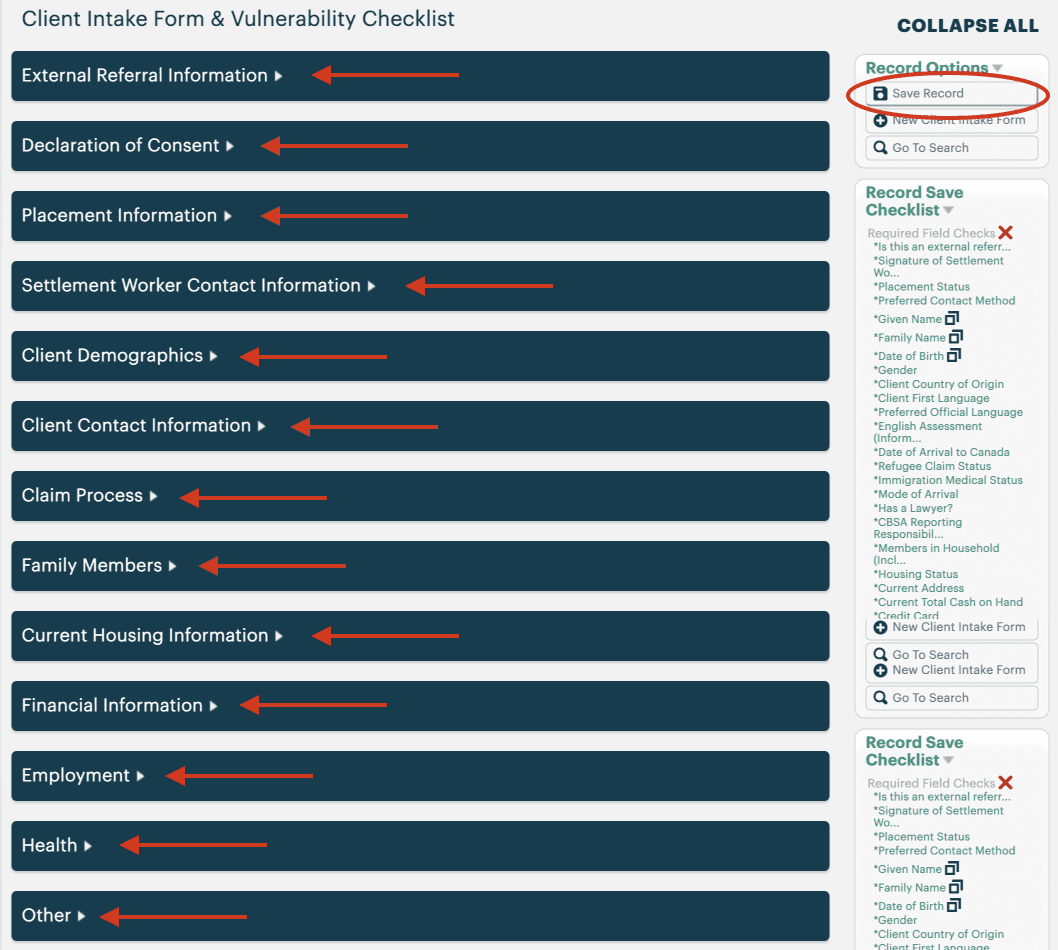
  • Complete the rest of the Client Intake Form & Vulnerability Checklist
    • All sections marked with an asterisk (*) are required fields that must be completed
  • Once the form is complete, click Save Record

Tip – Prior to saving record, ensure all fields on the Record Save Checklist section are complete, indicated by a green checkmark.

Tip – The Client Intake Form & Vulnerability Checklist cannot be saved until it is fully completed. It is recommended that Settlement Works use the mock PDF Client Intake Form provided by the BC CHARMS Admin to collect all necessary information before inputting into BC CHARMS.


Clients From the Waiting Room

If a client is from the Waiting Room, this means they have been externally referred by a third party who does not have direct access to BC CHARMS but may encounter refugee claimants in their day-to-day jobs. This could include places of worship, lawyers, police officers, hospitals, shelters, teachers, CBSA, IRB, IRCC, and many others.
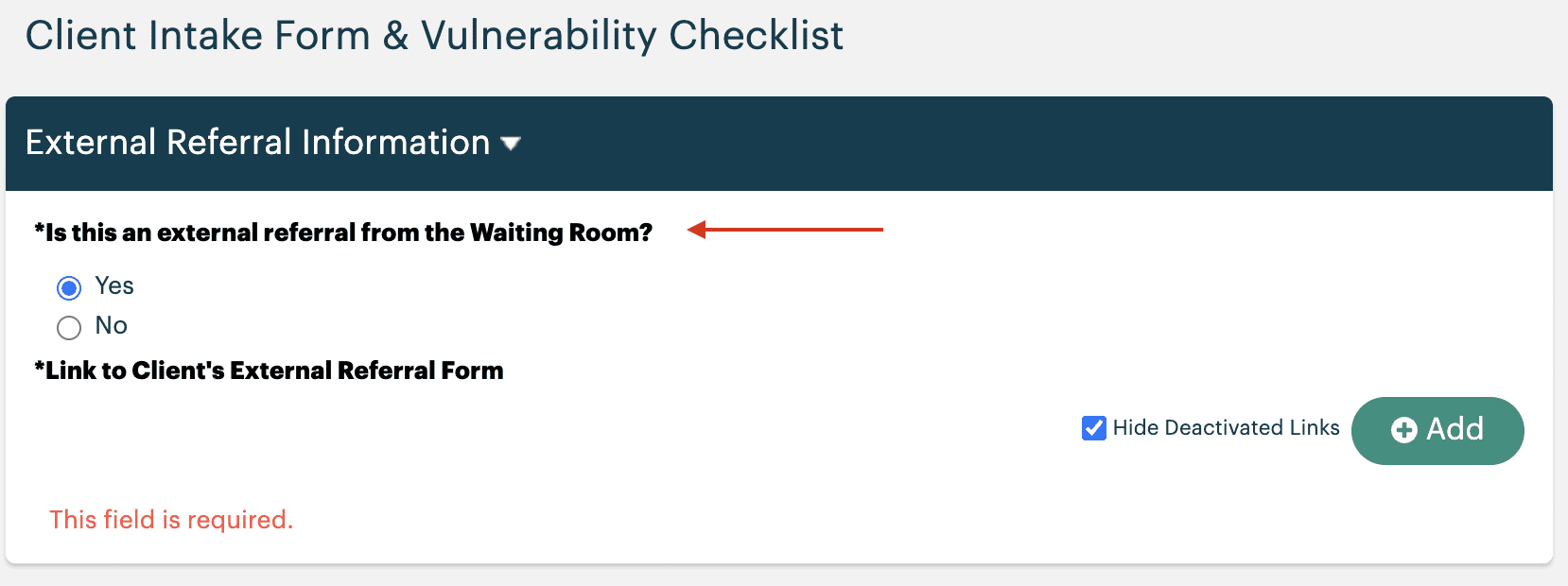

  • If a client has been externally referred by a third party, they will be found in the Waiting Room
    • In this case, the answer to “is this client an external referral from the waiting room?” would be Yes

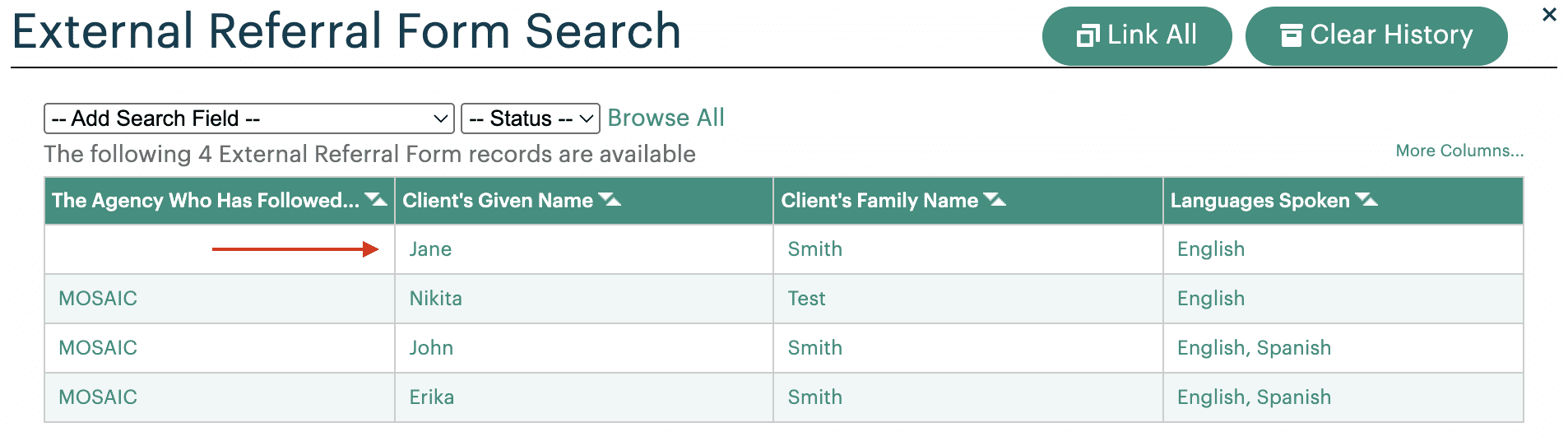
  • Link the client’s External Referral Form to the Intake Form by clicking the  button on the right-hand side
  • Click on the corresponding client in the External Referral Form Search section
  • Proceed to complete the Client Intake & Vulnerability Checklist as per the above section